January is my month for sorting my photos. I like to look back on the previous year and remember all the fun we’ve had. Although my images from 2020 will mostly be screenshots, I still want to put them in an album and take time to think about the crazy time it’s been. If, like me, you’re organising your photographs, read on for some tips and techniques to do it.
Digital Images
Ditch the unwanted photos
Try not to be overwhelmed by the sheer amount of digital images you have; break it down into small steps. Go through 200 images a day for the next month and you should make good progress through them.
Go right back to the start of your photos (that’s it, keep scrolling) and work your way forward. By now you’ll know whether those are memories you actually want to keep. You’ll also realise that having five almost identical images of the same thing really isn’t important. Choose your favourite and delete the rest.
Ditch the ones that aren’t yours
If your camera album’s like mine, it’s full of photos, videos and memes my friends have shared over Whatsapp. I don’t even know what some of them are! I regularly sit down and delete all these. You can also turn off the download to album option in Whatsapp.
Split them down into folders
Once you’ve whittled down your images to the ones you’ll really treasure, you should organise them so that you can find the one you want.
Because digital images are time-stamped, ordering them by date is simple. Create some year folders and sort your images into them. If you’re feeling extra organised, divide them into months too.
Back up your images
Please make sure you have backups of all the images you want to keep – either on a cloud-based storage system, an external drive, or both. I once lost a year’s worth of precious photos because my external backup drive broke. I’m still sad that I don’t have those images but I learned my lesson.
Display them
There really isn’t much point in having digital images hiding away on your phones and laptops. You really need to put them on display. That doesn’t necessarily mean getting them all printed out, we only have so much wall space right?! The best thing I did last year, was load my favourite photos onto my Amazon cloud drive. Now, my TV screen saver is a slideshow of my best memories and I love to sit and watch it scroll through. You can so this on your computer too. There are lots of options for Digital Picture frames too. Prices range from £40 go all the way up to £600. Some come with the ability to display images and play videos and MP3s. There’s lots of choice here:
https://www.amazon.co.uk/Digital-Photo-Frames-Albums-Photography/b?ie=UTF8&node=275058011https://www.amazon.co.uk/Digital-Photo-Frames-Albums-Photography/b?ie=UTF8&node=275058011
Albums
If you’ve read my previous blogs, you’ll know that I put together a yearly album of my digital images.
https://hushabye-photography.co.uk/2246/
It includes all the photos we’ve taken as a family that year, whether on smart phone or my studio camera. This will be the 9th year that I’ve done it and I can’t tell you how thankful I am to have them.
Before this, I put photo prints into albums but there’s a gap of around 6 years where I have no album. I’m going to plug that gap this year.

If you don’t know where to start with putting an album together, take a look at my blog post, which includes links to printers and layout ideas.
https://hushabye-photography.co.uk/creating-a-yearly-photo-album/
Prints
Sorting your prints
If you have lots of prints, the chances are they’re older photos and you’re less likely to remember when or where they were taken. But it’s just as likely that someone might have helpfully written a date and location on the back.
You might want to start by dividing them into piles, according to holidays, family members or possible years.
If you have very old prints of family members you don’t recognise, start by sorting them into piles of people who look like the same person. You can then enlist a family member to help identify them.

Damaged photographs
Before you throw away precious but damaged prints, check whether they can be saved by a professional retoucher.
Discard unwanted prints
In the same way as digital images, there’s no reason to hold on to photographs that are duplicates or damaged beyond repair.
Don’t keep photos that don’t give you joy to look at.
Organising your photographs
The most common way to store prints is in albums. There are some gorgeous ones out there and you’re bound to be able to find one that suits you.

The only trouble with albums is the space they take up. If you’re looking for a more stream-lined way to store prints, then photo storage boxes could work for you.
There’s a good range to choose from here: Photo storage boxes
Make sure that you have one that is made of archival and acid free board, to protect your images. They tend to come with card inserts too so that you can divide your prints into different categories.
Frames
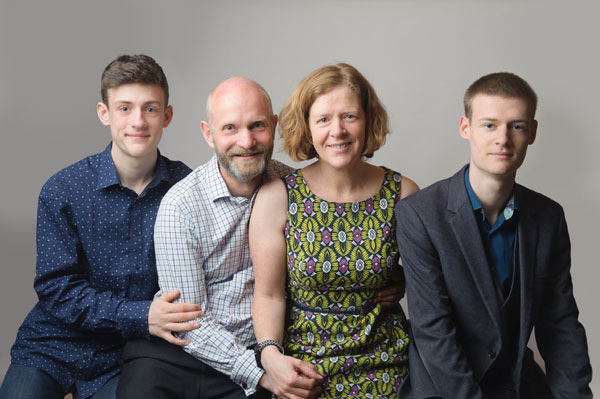
To really ensure that your favourite photos get the attention they deserve, you can’t beat a frame. Make a statement with a huge framed print of your family (contact me to book your session) or use a multi-aperture frame to show off as many pictures as possible.
Make them visible
Whatever you choose to do with your images, please make sure that people see them. What is the point of an image that no-one gets to look at?
You can buy albums, digital images and frames from me when you book a newborn, older baby or family photography session with me.
Leave a Reply
You must be logged in to post a comment.